How it works
Share a statement from the Capitec app straight to mooola. There’s no manual upload or bank connection, and your data stays on your device.
-
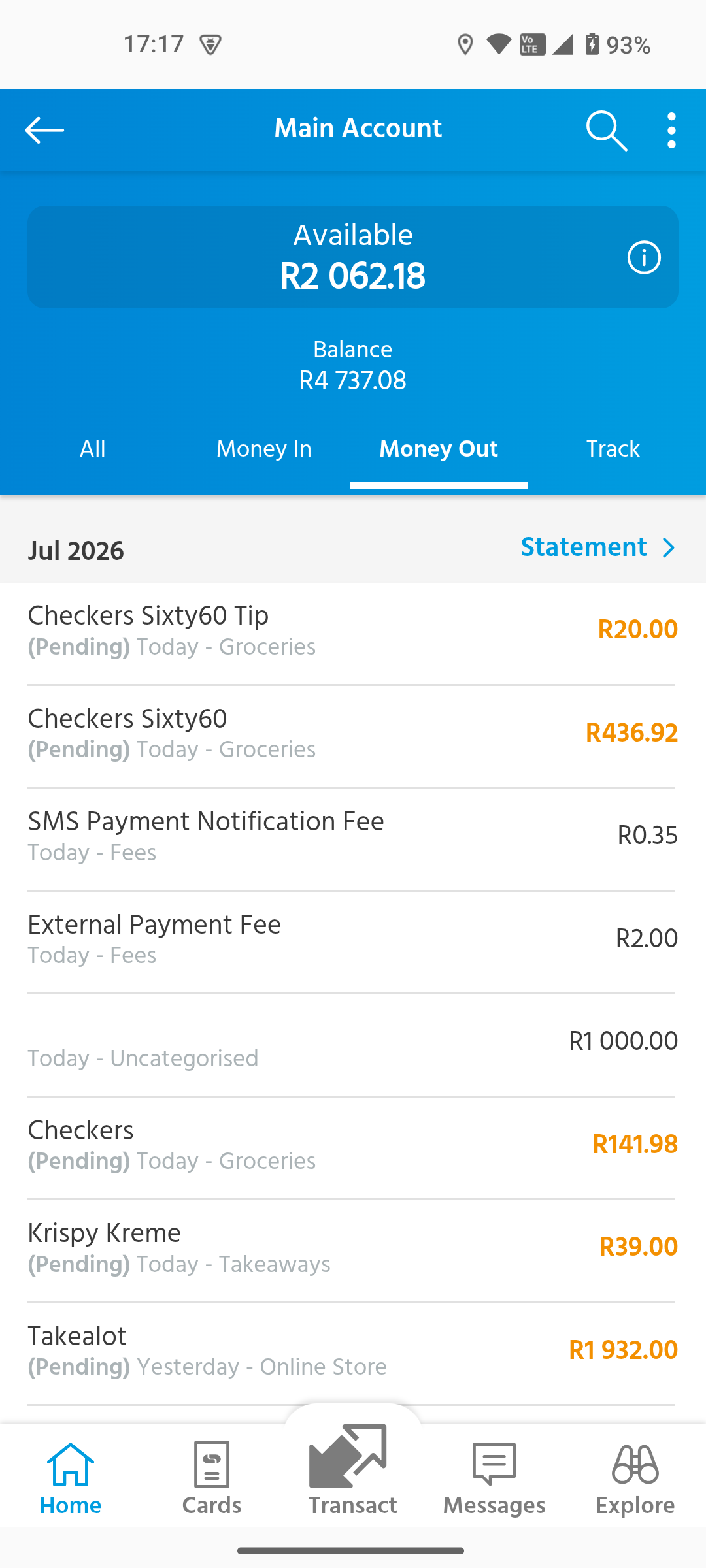
Step 1
Open your statement
Open your main account in the Capitec app and tap Statement.
-
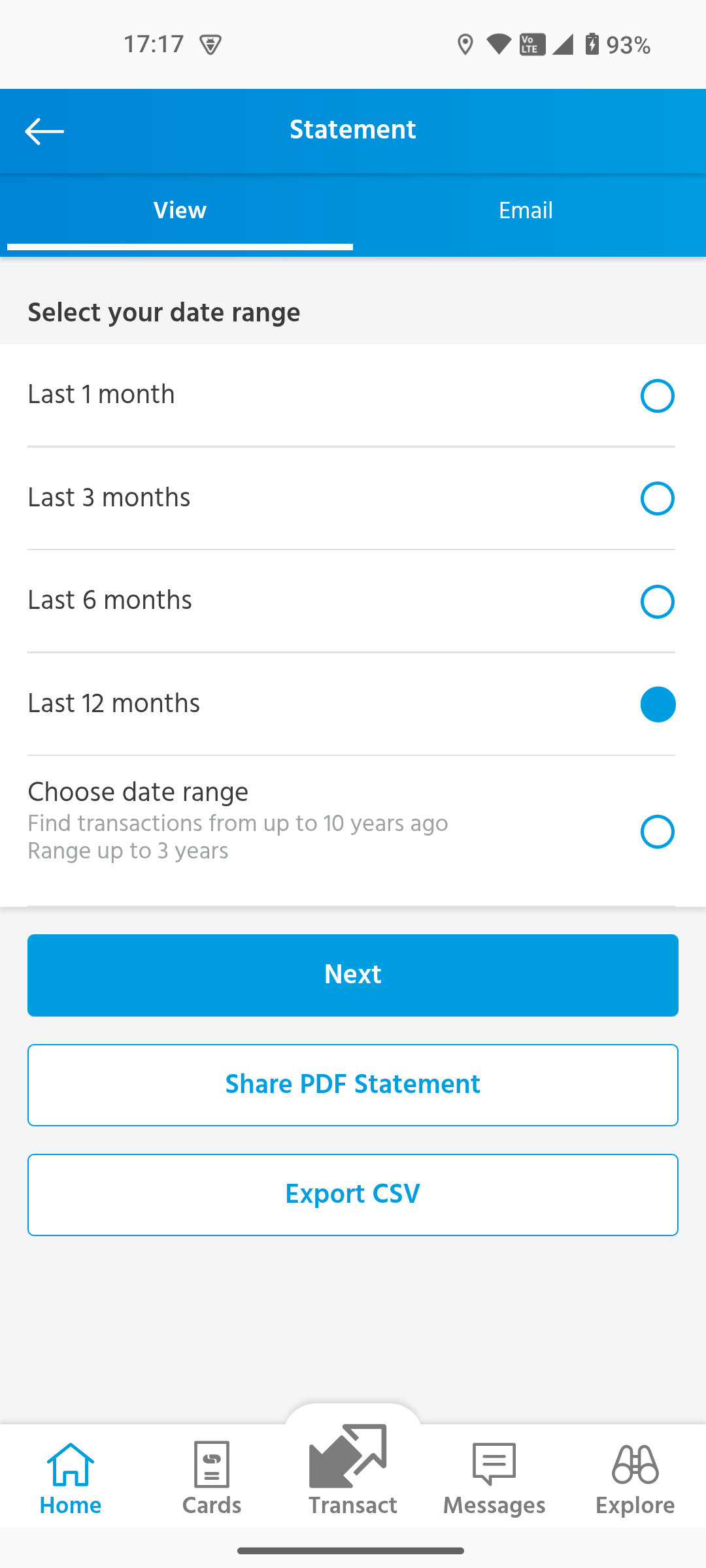
Step 2
Choose your history
Select a date range, then tap Export CSV. Capitec prepares the statement for sharing.
-
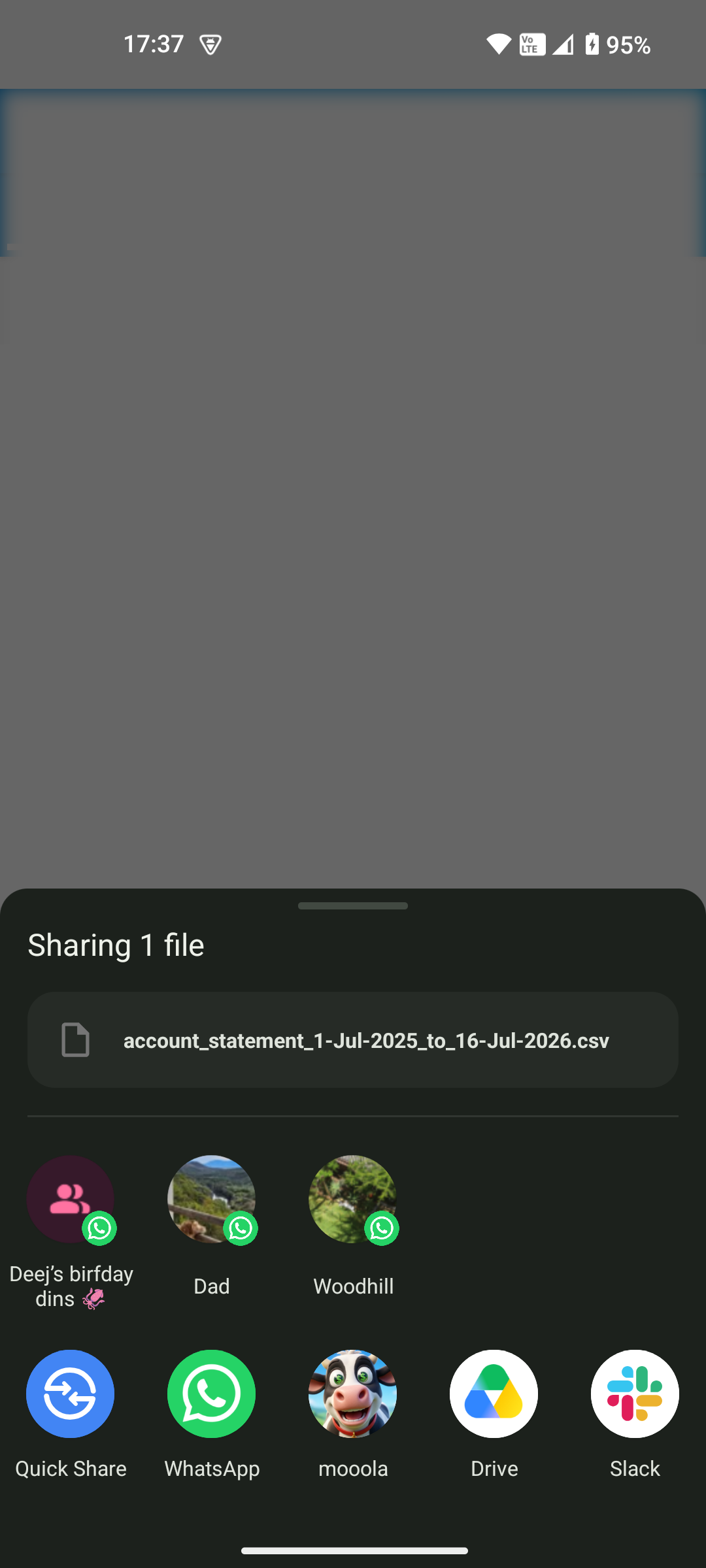
Step 3
Share it with mooola
Choose mooola from Android’s share sheet. There’s no file to download, find, or upload.
-
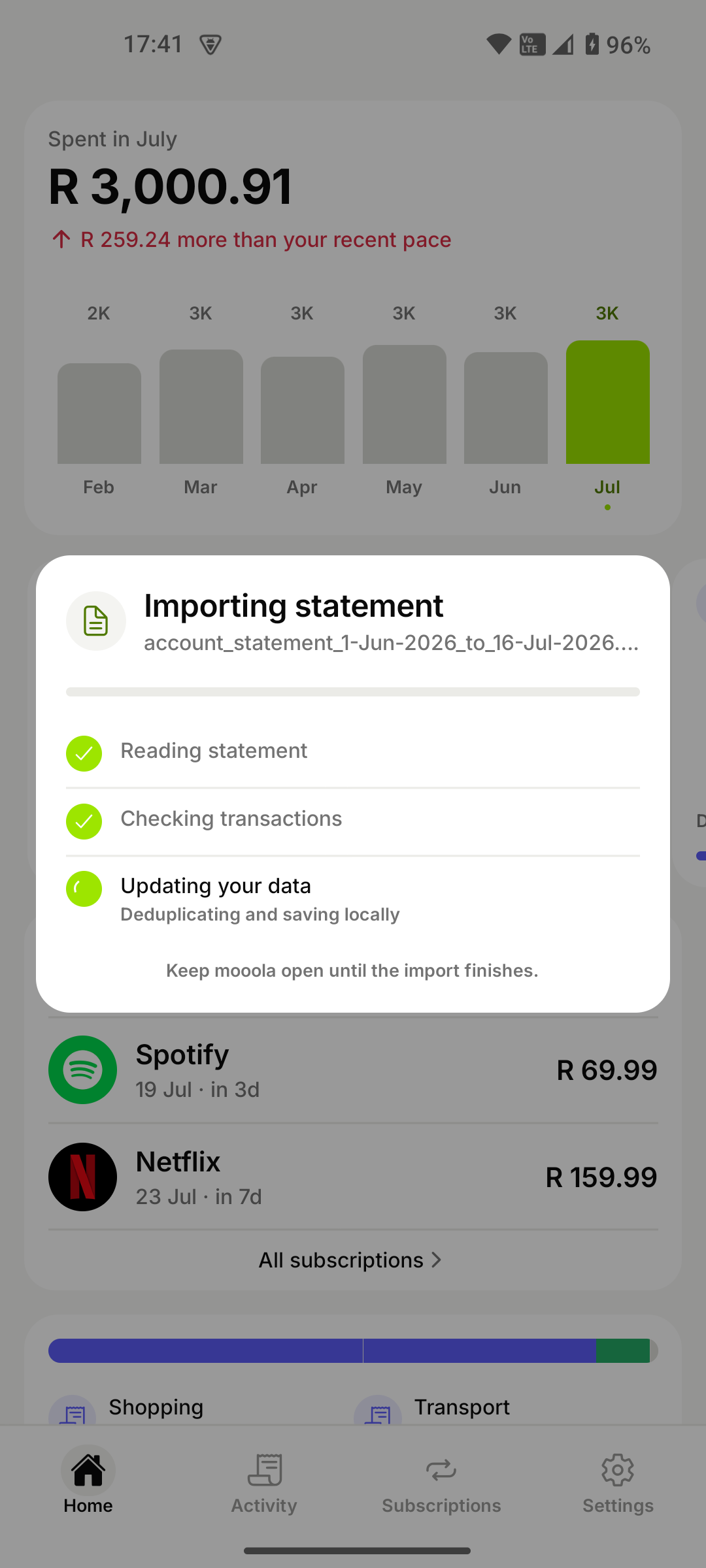
Step 4
Processed on your device
mooola reads the statement, checks each transaction, removes duplicates, and updates your data locally.
-
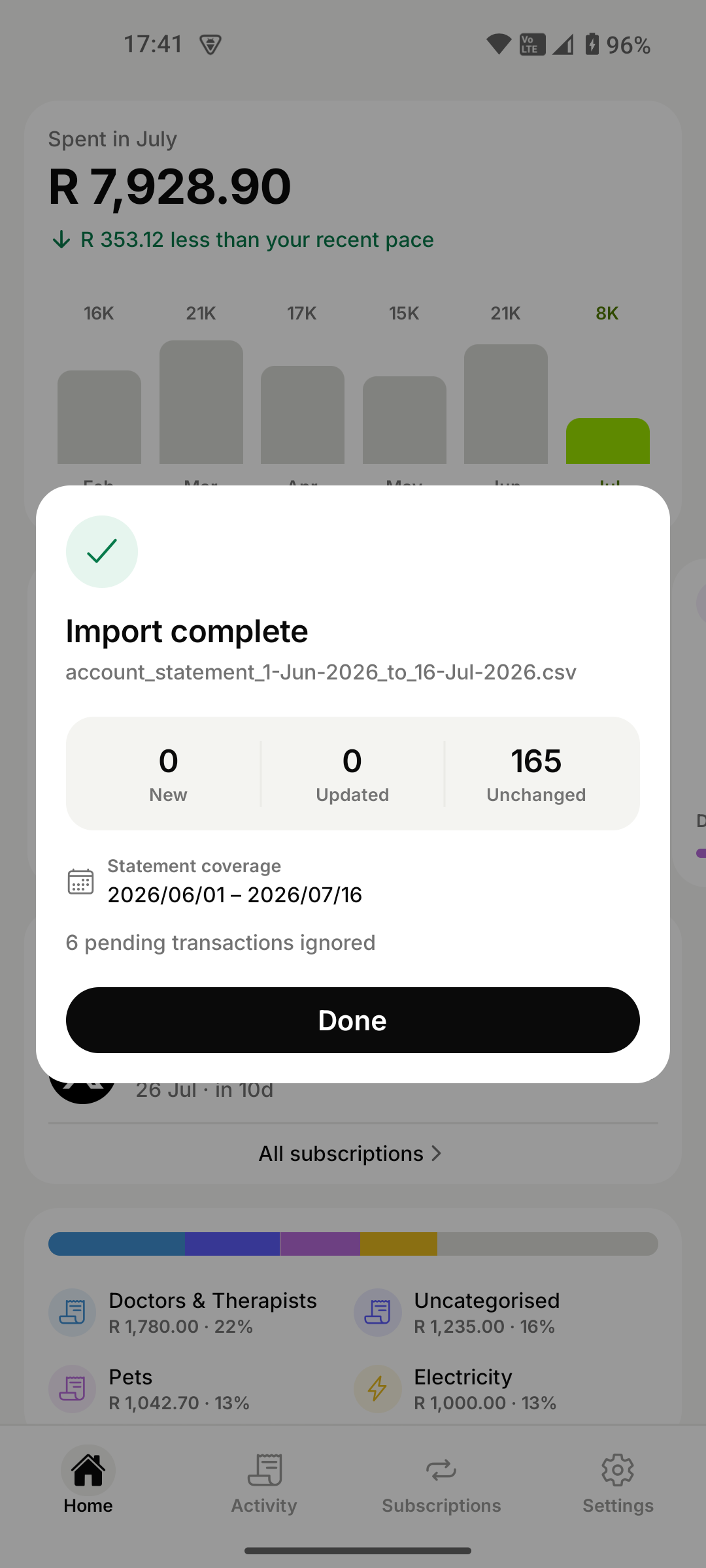
Step 5
Start exploring
Review what was added or updated, tap Done, and explore your spending, subscriptions, and trends.