 mooola
For South Africans looking for a Splitwise alternative, mooola Share is being built around a familiar starting point: an expense already in your tracker. Choose a supported imported payment, select the friends who shared it and keep track of who owes what.
Split the expense you already imported
If you track household spending from bank statements, entering the same grocery bill again in a separate sharing app is another task. Share is designed to let you choose that existing expense when creating a shared payment. You will also be able to create a payment manually.
For example, you pay R600 for groceries shared equally by three people. Each person’s portion is R200; the other two each owe the payer R200. The shared payment records that split, while your original bank transaction still records the R600 you paid.

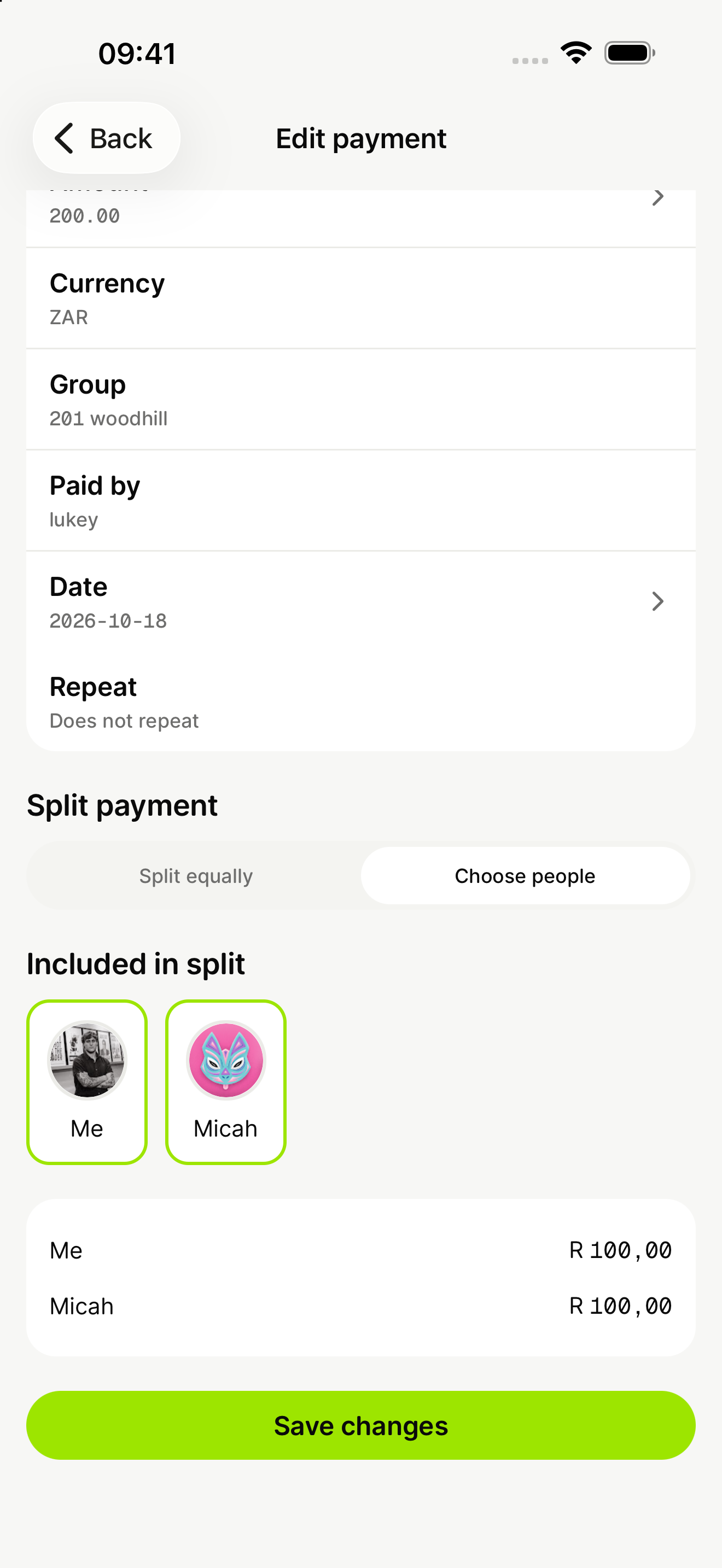
Share preview: choose the people included in a payment and review their portions before sharing it.
The Share preview covers groups for households or trips, shared payment history and balances with friends. It will require Google sign-in and an internet connection.
What Splitwise already offers
Splitwise supports groups, one-off shared expenses and running balances. Its documented split methods include equal amounts, exact amounts, percentages and shares. It also lets you record repayments made outside the app, such as a bank transfer.
Splitwise Pro adds features including unlimited expense entries, receipt scanning, currency conversion and transaction import in selected countries. Check the current plan, price and regional availability for the features you need.
Being based in South Africa does not by itself make Splitwise unsuitable. If your group already uses it successfully, decide whether bringing sharing into your expense tracker would improve your workflow enough to change.
What to check before switching
- How you add expenses. Share will use selected expenses already imported into mooola or payments entered manually. Check supported bank statement layouts before planning around imports.
- The splits your group needs. Check the released Share controls before relying on percentage splits, itemised receipts or other advanced allocation methods.
- Currency. Agree on the currency of a shared payment. This preview does not promise automatic exchange-rate conversion or combining balances in different currencies.
- Paying each other back. Recording who owes money is separate from transferring it. Share is not a bank-transfer service; use your usual payment method to send money.
- Access and cost. Wait for the release details and current store pricing. We are not promising free unlimited sharing or full Splitwise feature parity.
Prepare for Share without moving your group yet
You can use mooola’s current supported statement imports to organise your own spending while Share is being prepared. Keep your existing group records until everyone has agreed how to move. This preview does not promise an importer for Splitwise exports or a transfer of historical balances.
Follow the Share page for release availability. If you need a working bill-splitting app today, choose an available service that meets your group’s needs.