 mooola
 Google Play
 App Store
You choose what to import
Download a statement from your bank and select it yourself. mooola never asks for your banking username, password, PIN, or one-time password.
mooola is an expense-tracking app for South Africans who want to understand their spending without linking a bank account. Import a supported PDF or CSV statement to review income, expenses, categories, recurring payments and multiple accounts, with financial records processed and stored on your device.
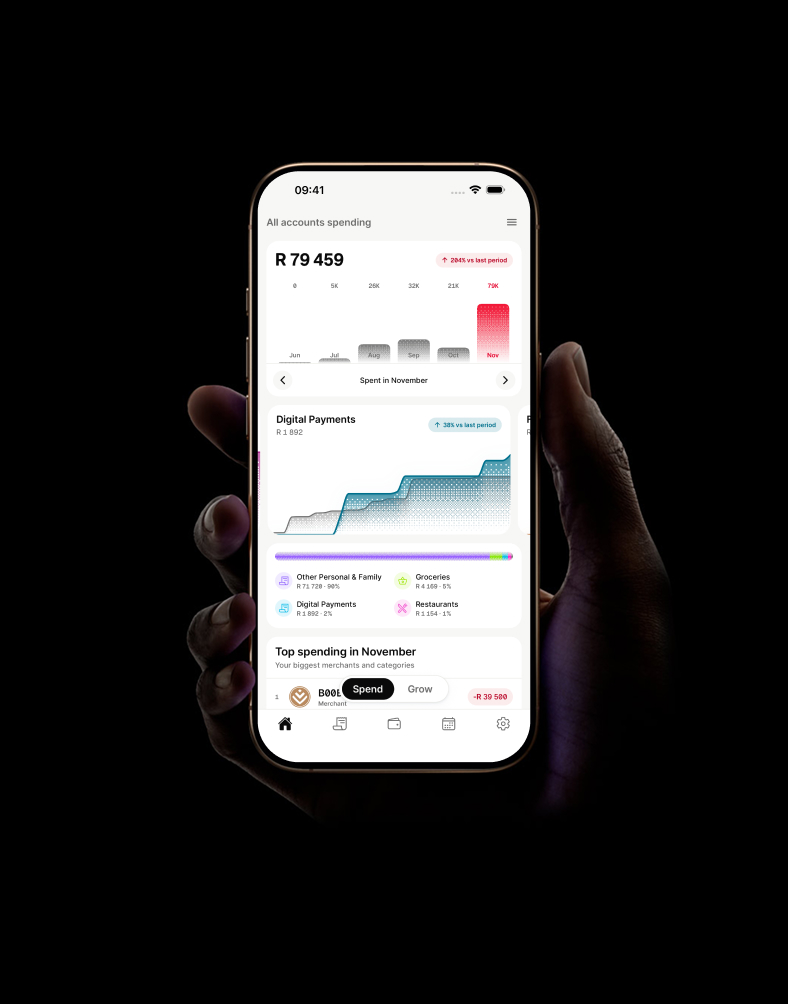
Download a statement from your bank and select it yourself. mooola never asks for your banking username, password, PIN, or one-time password.
Supported statements are parsed on your phone or tablet. Imported transactions and insights live in the app’s local database.
Import selected statement formats from Capitec Bank, Absa, African Bank, Discovery Bank, FNB, GoTyme Bank, Investec, Nedbank, Standard Bank, Woolworths credit card. Woolworths support is limited to the Absa-managed credit card.
Download the original CSV or digital PDF from your bank. The exact format matters, so use the relevant bank import guide.
Select your bank and statement. The app reads and validates it locally before adding or reconciling transactions.
Review the import summary, then explore spending, edit categories and names, manage accounts, and identify recurring activity.
| Bank | Supported input | Instructions |
|---|---|---|
| Capitec Bank | Selected original PDF or transaction CSV | Capitec Bank guide |
| Absa | Selected digital e-stamped transaction history PDFs | Absa guide |
| African Bank | Selected digital transaction statement PDFs | African Bank guide |
| Discovery Bank | Selected digital statement PDFs | Discovery Bank guide |
| FNB | Selected digital transaction statement PDFs | FNB guide |
| GoTyme Bank | Selected original monthly personal statement PDFs | GoTyme Bank guide |
| Investec | Selected digital bank account statement PDFs | Investec guide |
| Nedbank | Selected digital current-account or tax-invoice PDFs | Nedbank guide |
| Standard Bank | Selected digital statement PDFs | Standard Bank guide |
| Woolworths credit card | Selected digital PDFs for the Absa-managed card only | Woolworths credit card guide |
Understand transaction dates, descriptions, debits, credits, balances, fees, reversals, and common banking documents.
Read the statement guideLearn the differences between manual entry, statement imports, bank feeds, local storage, cloud sync, backups, and optional network features.
Read the privacy guideCompare mooola directly with FinWise, Vault22, and YNAB, or open the broader six-app roundup.
View app comparisonsIdentify repeated charges and distinguish subscriptions from debit orders, scheduled transfers, and instalments.
Review recurring paymentsAlign statement periods, handle transfers, and avoid duplicate transactions from overlapping imports.
Combine accounts correctlyTurn a complete spending baseline into repeatable changes and measure the result.
Build a savings reviewGet mooola for Android on Google Play or for iPhone and iPad on the App Store.