 mooola
To track Google Wallet spending on Android, you can check transactions in Wallet and use mooola to add recognised purchase notifications to your expenses. Capture is available now, optional and off by default. It starts with new notifications after setup.
Check your Google Wallet transaction history
In Google Wallet, select your card and open View more transactions, then choose a purchase for its details. Google also documents a transaction list under View more → View more transactions. Available details can vary; follow Google’s current transaction-history instructions for your app.
Google recommends checking your bank statement for complete transaction details. A Wallet entry is useful for finding a purchase, but it does not replace the original receipt or your bank’s record.
Set up Android tap-to-pay expense tracking
- Update mooola from Google Play.
- Open Settings → Imports & capture in mooola and enable Google Wallet payments.
- Allow notification access when Android opens its permission screen.
- Keep Google Wallet purchase notifications enabled. Google documents this setting under your Wallet profile picture, then Wallet settings.
- After a new supported purchase, open mooola to bring the captured payment into Expenses.
With permission and capture enabled, mooola saves new Google Wallet notifications locally even while the app is closed. Recognised purchases are added when you next open mooola. The Google Wallet capture page includes the illustrated setup.
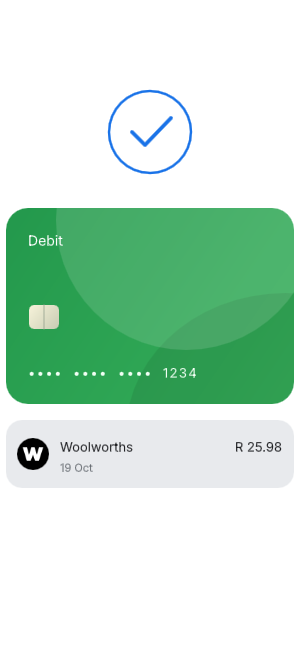
A supported Google Wallet purchase can become an expense without entering its payment details again.
Bring in earlier spending with bank statements
Capture cannot read past Wallet history, and turning it on will not backfill earlier payments. Import a supported original bank statement to review previous spending, debit orders and purchases made outside Google Wallet. Choose the guide for your bank to check the required format.
When a later statement contains a captured purchase, mooola looks for a unique match using merchant, amount, currency and date. A clear match updates the existing purchase with statement details. Ambiguous matches remain separate for review, so compare the result with your statement.
Why is a Google Wallet payment missing?
- Capture was not enabled yet. Only new notifications after setup can be captured.
- Notification access is off. Check mooola’s capture setting and Android’s notification-access permission.
- Wallet did not send a purchase notification. Check its notification settings. A payment visible in Wallet history does not guarantee mooola received a notification.
- The notification is unsupported. Missing details, an unrecognised format or an unsupported currency can prevent import. Check the information reported in mooola’s Settings.
- It was not a recognised purchase. Refunds, declined payments and promotional notifications are not imported as purchases.
- mooola has not reopened yet. Open the app to process saved notifications.
This feature is for Google Wallet notifications on Android. It does not promise capture from every contactless wallet, banking app, watch or online Google Pay checkout. Use a supported statement to complete your record.
What notification access means
Android’s notification-access permission is broad. mooola filters for Google Wallet before reading notification content and does not inspect notifications from your other apps. The original notification text stays on your device.
Capture does not require bank credentials or a mooola account. Optional financial uploads can include extracted Wallet payment records; read the account and data guide before enabling them. You can stop new capture in mooola or revoke notification access in Android settings.
Turn purchases into a spending review
Check categories and review your custom budgets alongside imported statements. Capturing payments saves entry work, but a complete review still needs the transactions outside Wallet. See how to review your expenses for a practical routine. Different currencies cannot currently be combined in mooola’s expense totals.
On iPhone, the planned Apple Pay spending workflow uses Shortcuts instead. That feature is coming soon and is not available in the current App Store release.