Google Play
 TestFlight beta
Local-only data
Your statements and transactions stay on your device instead of being sent to mooola.
Understand your spending without linking your bank. Import supported statements into mooola and keep your financial data on your device.
For Android, iPhone and iPad. iOS is currently in beta.
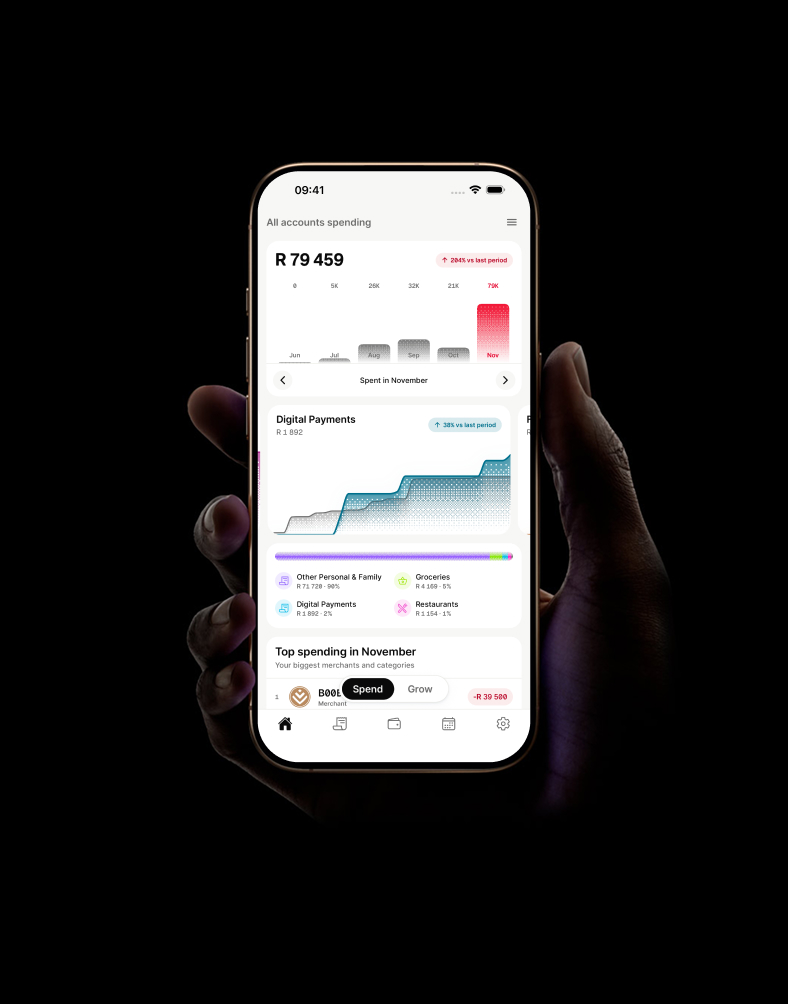
















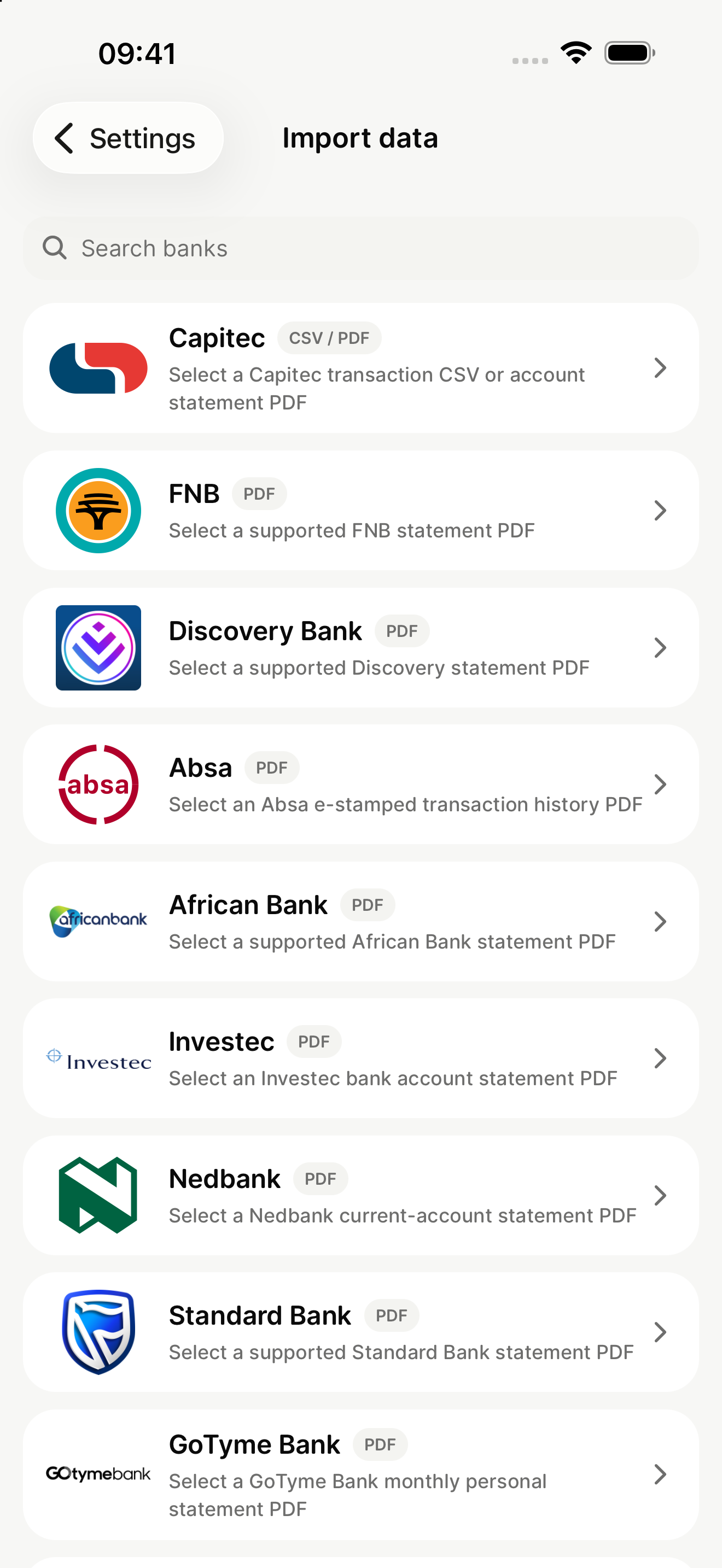
Selected statement formats supported. mooola is not affiliated with or endorsed by any listed bank.
Your statements, your spending, your decisions. Understand where your money goes without handing over your banking credentials.
Your statements and transactions stay on your device instead of being sent to mooola.

See categories, recurring payments, and monthly activity in a calm, focused interface.

Import a statement when you choose. mooola never asks for your banking credentials.
Spending, categories, subscriptions, and accounts. Everything you need to understand your imported activity, in one place.
See categories, recurring payments, and monthly activity in a calm, focused interface.
Bring in a supported PDF or CSV statement. mooola reads and processes it on your device.
Understand subscriptions and recurring payments from the bank statements you import.
Update the icon, category, and behaviour for matching payments in one place.
Get a reminder before an expected payment or when it is time to refresh your data.
Bring statements from different banks into one private view, without connecting to your bank.
Bring in a statement from a supported bank. mooola reads and processes it on your device without connecting to your bank or asking for your credentials.
Follow your bank’s guide to get the supported PDF or CSV file.
Your statement is read and processed on your device.
Review your accounts, categories, and recurring payments.

7 October
6 October
Customise your payments and keep your choices consistent across your history and future imports.
Update the icon, category, and behaviour for matching payments. Your choices stay consistent across your history and future imports.
Turn on the notifications that are useful to you. mooola can remind you before a recurring payment is due or when it is time to refresh your data.
 mooolanow
Import your latest bank statement to keep your spending up to date.
mooola2m agoThis recurring payment is expected on 10 Oct.
mooola2m agoThis recurring payment is expected on 10 Oct.
Clear, South Africa-specific guides for turning bank-statement history into useful decisions.

Build a reliable baseline, find repeatable changes, and measure whether they worked.

Review statement patterns and distinguish subscriptions, debit orders, and instalments.

Combine accounts without inflating totals through transfers or overlapping statements.
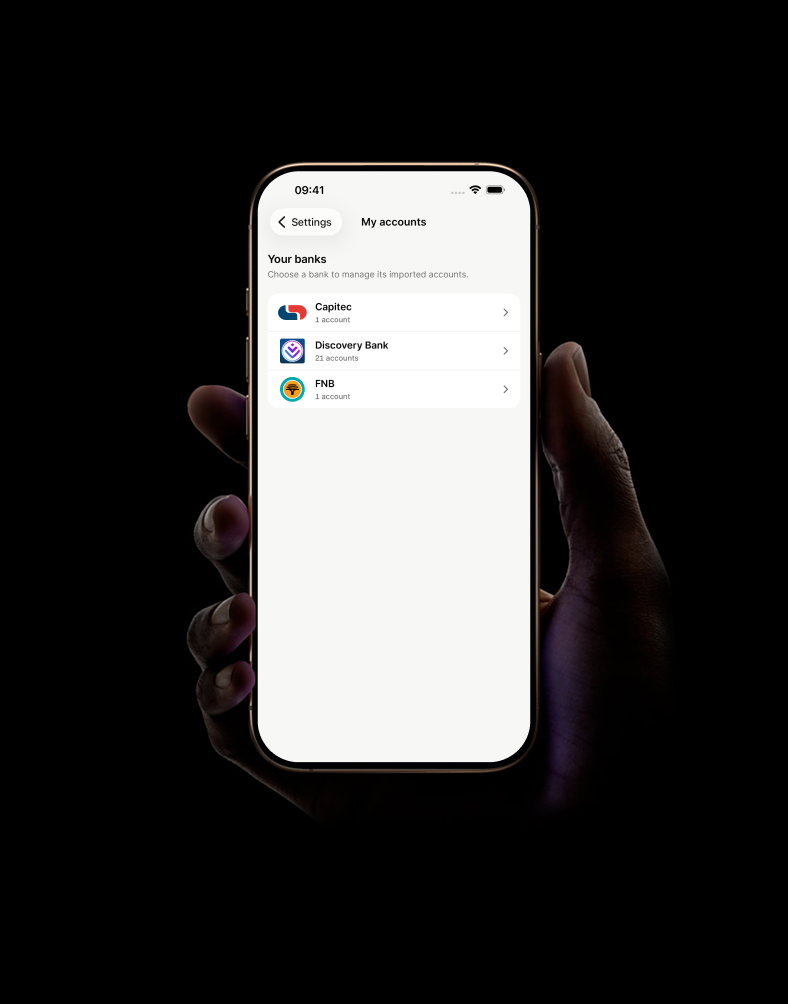
Import statements from different banks or several accounts at the same bank. mooola brings them into one private view without connecting to your bank.
No account, cloud sync, advertising identifiers, or financial profiling. Only limited, user-controlled development activity leaves your device.
More about privacyFollow the guide for your bank and statement format. Support depends on the exact file layout.
Use a supported original account-statement PDF or transaction CSV.
Read the guideEarly-access format for selected single-currency or jar statement csv exports.
Read the guideUse a supported digital RAND transaction statement PDF.
Read the guideUse a supported original digital monthly personal statement PDF with selectable text.
Read the guideEarly-access format for selected account-statement csv exports with transaction category and currency fields.
Read the guideUse a supported original digital bank account statement PDF with selectable text.
Read the guideEarly-access format for selected standard or certified statement csv exports.
Read the guideUse a supported original current-account statement or tax-invoice PDF.
Read the guideEarly-access format for selected english-language account-activity csv exports from the n26 webapp.
Read the guideUse a supported certified digital or transaction-account statement PDF.
Read the guideEarly-access format for selected netbank transaction csv exports containing date, signed amount, details, and balance.
Read the guideUse a supported three-month or legacy transaction statement PDF.
Read the guideSupported format for corporate online previous-day closing-balances-and-transactions csv exports.
Read the guideUse a supported original e-stamped transaction history PDF with selectable text.
Read the guideUse a supported original PDF for the Woolworths credit card managed by Absa.
Read the guideUse a supported original digital transaction statement PDF with selectable text.
Read the guide View all guidesSelected South African formats and international CSV exports are available today. Other local bank formats remain in validation until their exact layouts are confirmed.